

Retail
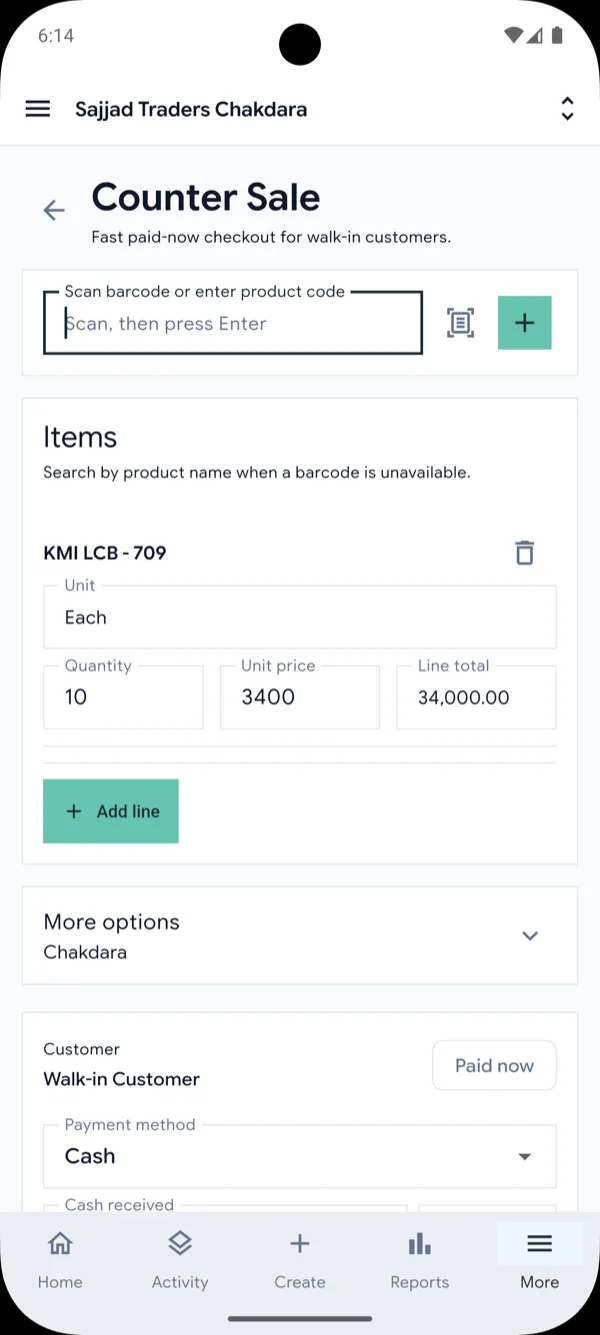
Keep the counter moving with quick sales, barcode scanning on the mobile app, and live stock levels for each shop.
Quick sales · Customer receipts · Stock levels
Business management software for trading companies
ERPMAX runs sales, inventory, purchasing, and accounting in one system. Post an invoice and stock, customer balances, and the ledger update with it.
Web workspace, plus native apps for Android and iOS.
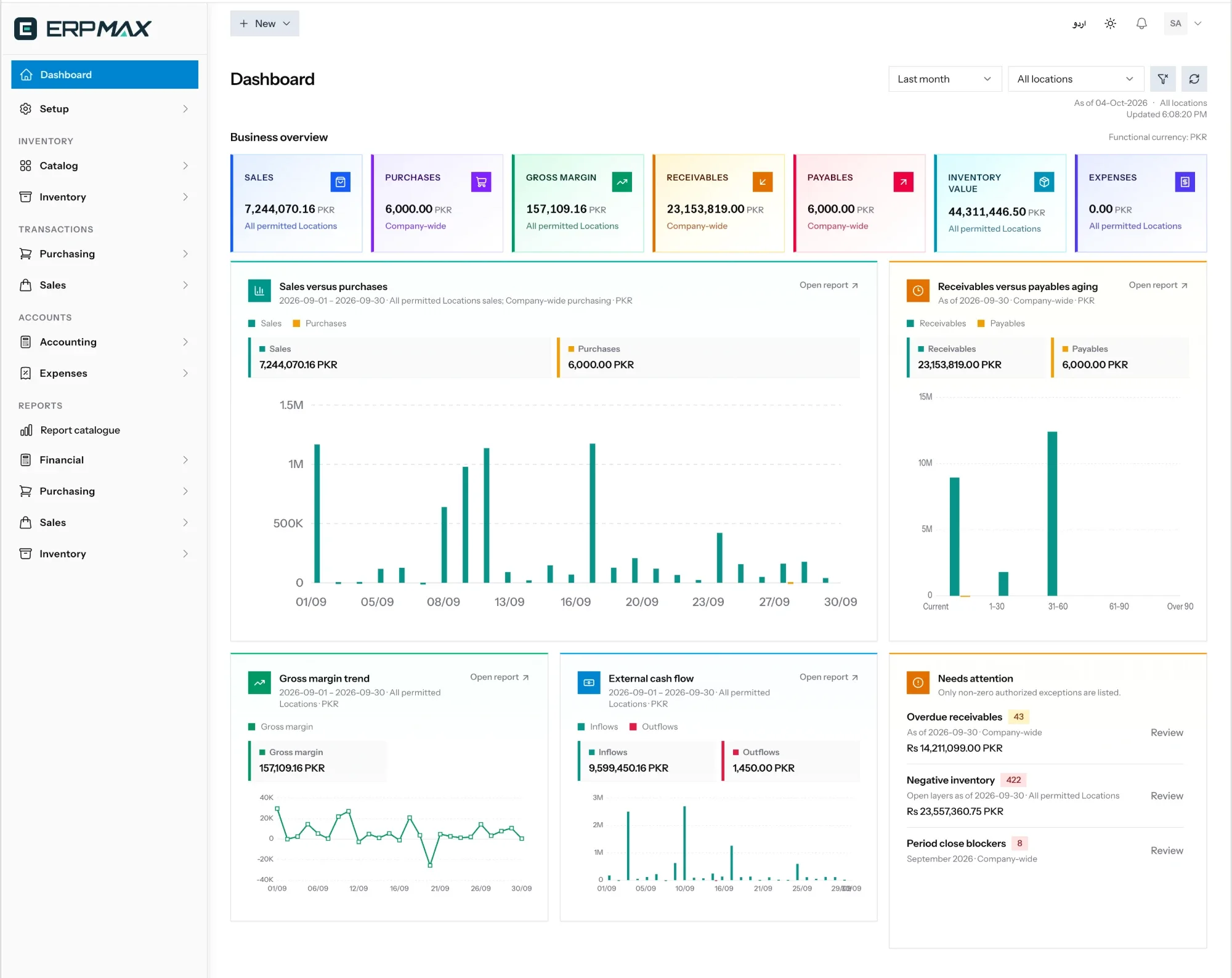
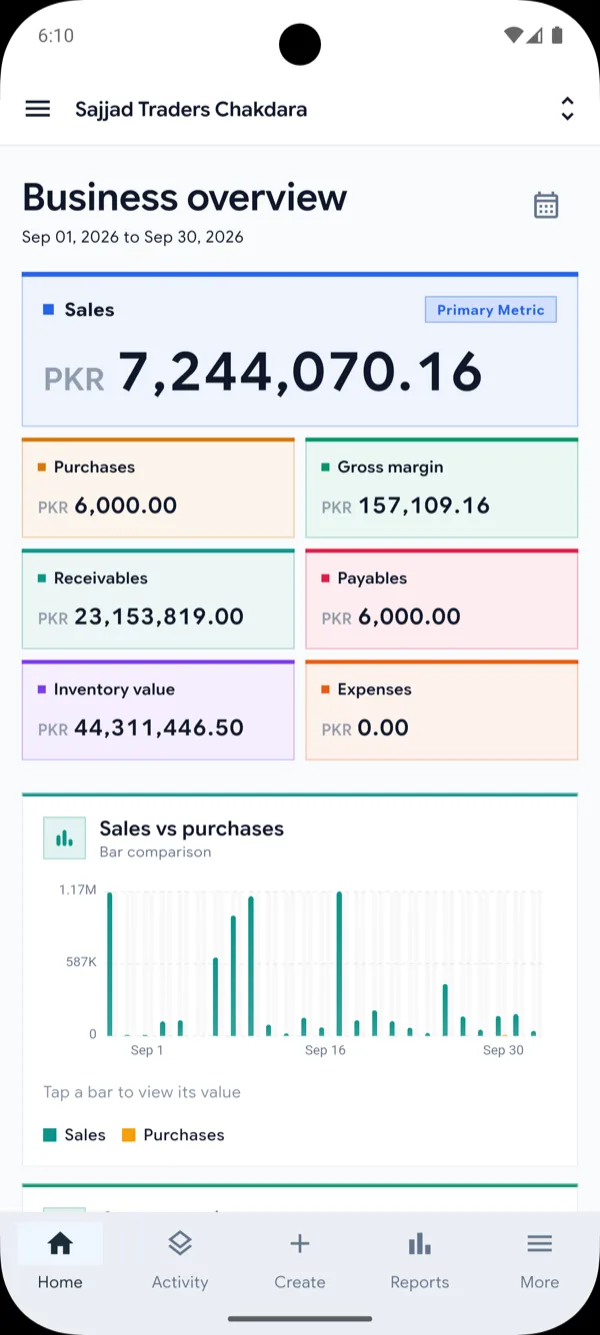
The ERPMAX web workspace and mobile app.
Modules
Each module works on its own and shares the same customers, products, locations, and ledger. No integrations to maintain, no data to reconcile between tools.
Sales & customers
Quote, confirm, invoice, and collect without re-keying. Every document links back to the one before it, so customer balances always reconcile to the paperwork.
Sales order SO-00233
Sample dataInventory & purchasing
Purchase orders, goods receipts, supplier bills, and landed costs feed stock directly. Positions are tracked by location, with every movement traceable to its source.
Purchase order PO-00071
Sample dataAccounting & cash
Sales, purchases, and expenses post to the ledger as they happen. Manage your chart of accounts, journals, cash and bank accounts, and close periods with confidence.
Period close · September 2026
Sample dataReports
Run sales, stock, receivables, and financial reports straight from live transactions. Filter by period, location, or party and export what you need to share.
Popular reports
Sample dataHow it works
When an invoice is posted, ERPMAX moves the stock, updates the customer’s balance, and writes the journal in the same step. No exports, no re-keying, no month-end catch-up.
INV-00129 · Al-Noor Traders
Main Store
JV-00312
Al-Noor Traders
Sample transaction for illustration.
Mobile app
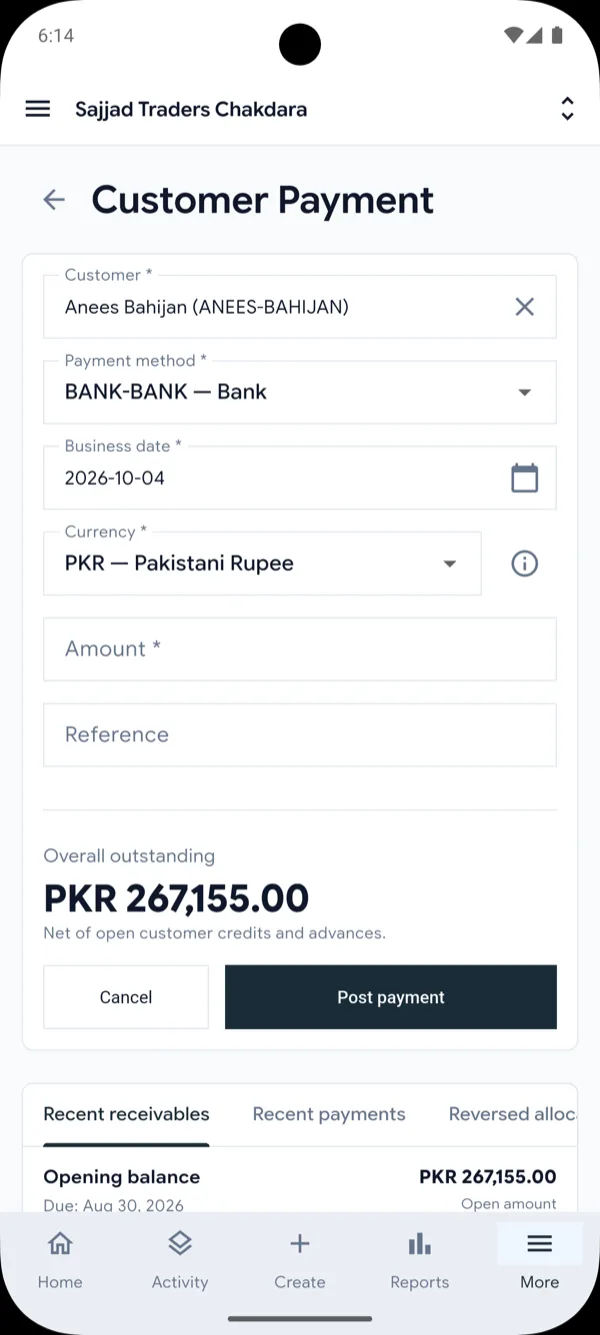
The ERPMAX app for Android and iOS works on the same live data as the web workspace. Counter staff ring up sales, collectors record payments, and managers review the day — with nothing to sync by hand.
Sign in with your existing ERPMAX account. Camera access is used only for barcode scanning.
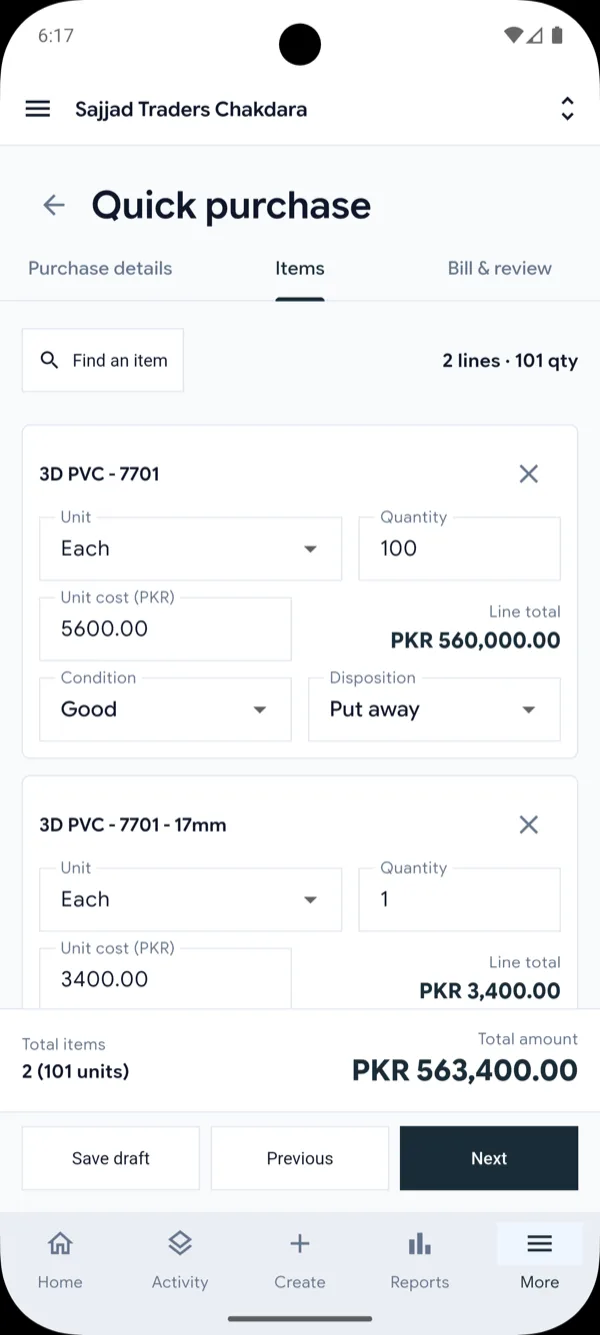
Quick purchase
Enter cost, quantity, and condition, then put stock away.
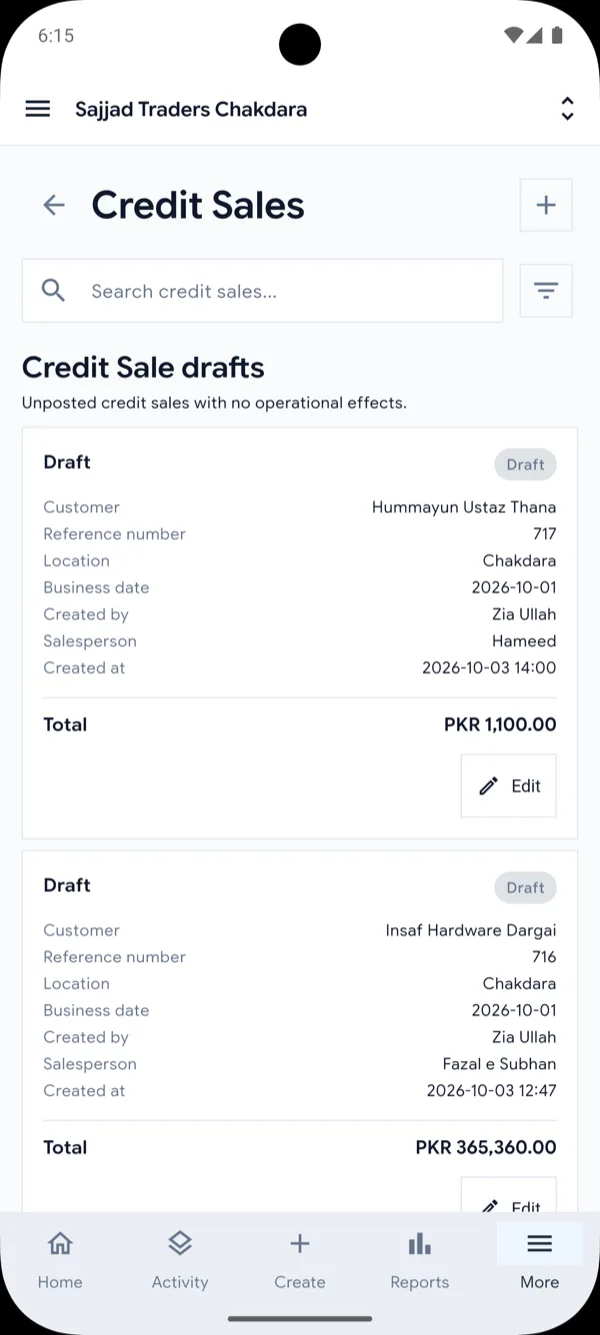
Credit sales
Pick up saved drafts and post them when ready.
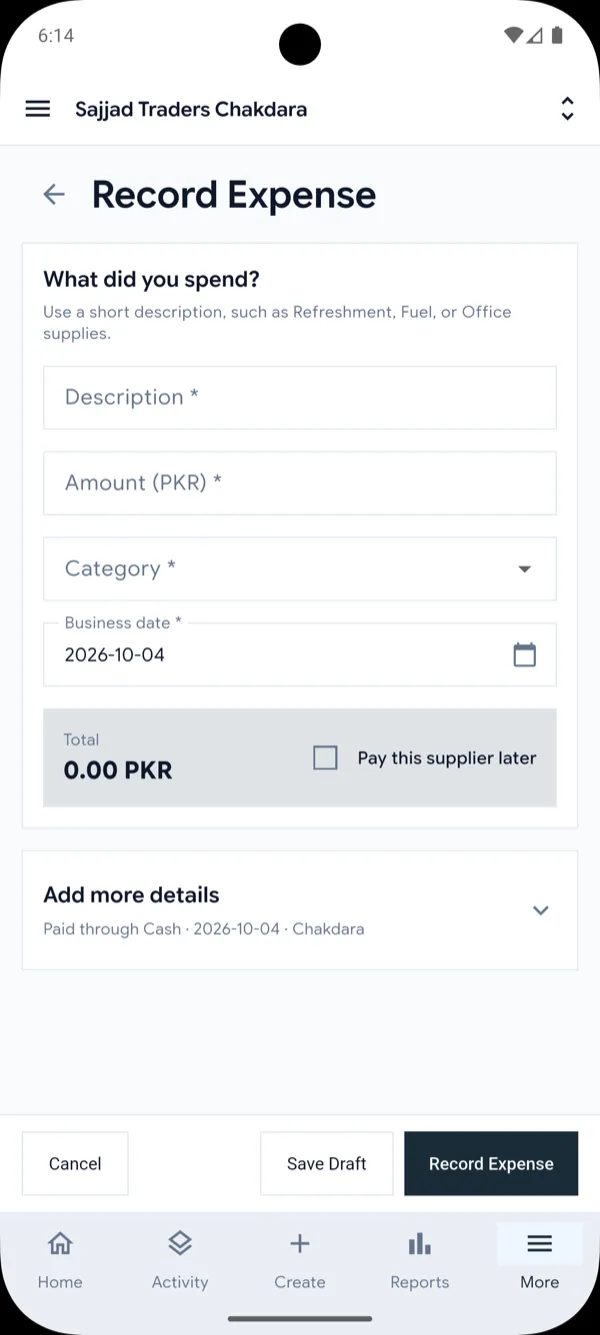
Expenses
Record what was spent, paid now or later.
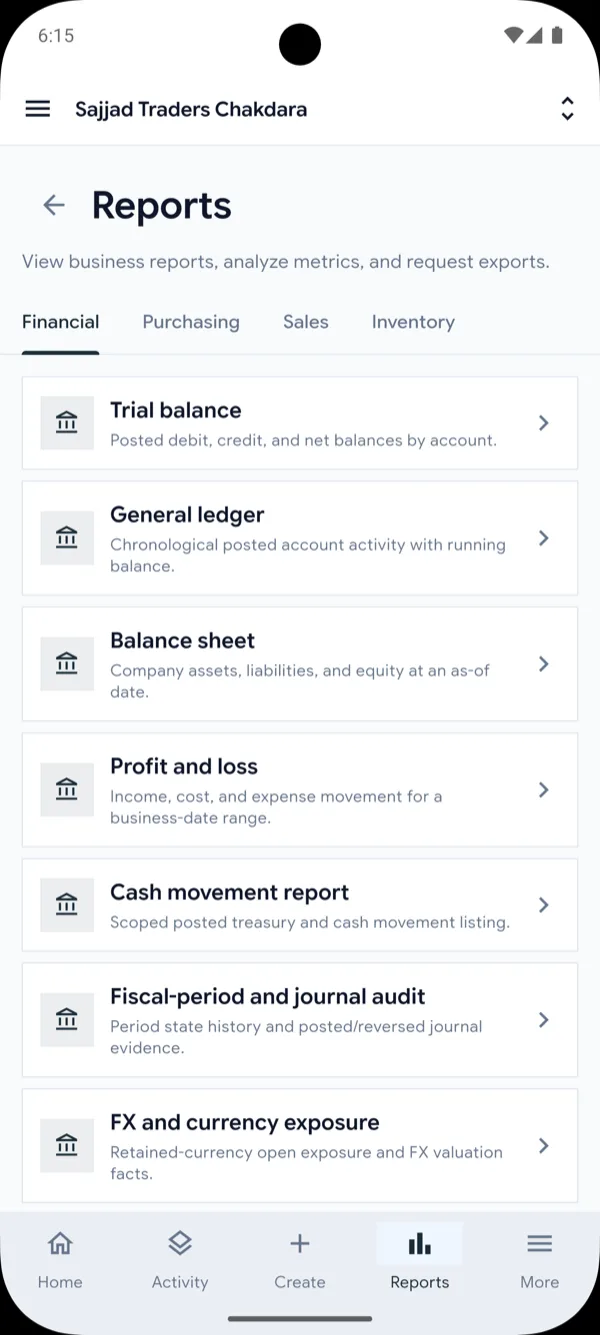
Reports
Trial balance, ledger, balance sheet, and profit and loss.
FMCG distribution
ERPMAX has a complete toolkit for distributors of fast-moving consumer goods: schemes, principal claims, order booking, delivery runs, and end-of-day settlement. All of it posts to the same stock and ledger as the rest of your business.
Food & beverages
Soft drinks, juices, water, cooking oil, spices, and packaged food moving by the carton.
Home & personal care
Detergents, soap, shampoo, toothpaste, and tissue sold to shops against the principal’s price list.
Snacks, confectionery & bakery
Biscuits, chips, chocolate, and candy with many fast-selling items per shop and frequent offers.
Dairy, tea & staples
Milk, tea, sugar, flour, and rice distributed to kiryana stores, with credit and cash on delivery.
Beauty & cosmetics
Skin, hair, and fragrance ranges split across many brands and price levels.
Wholesalers & sub-distributors
Any trader serving retail shops through order bookers and delivery vans, with or without a principal.
Run offers such as 12+1, buy X get Y, and slab or bulk discounts, limited by dates, area, or route. Add standing discount agreements for individual shops.
Mark each discount or free good as funded by the principal or by your own margin, and ERPMAX books it the right way: as a receivable or as an expense.
Keep your suppliers and their brands, record price changes, and build claims for trade offers, scheme goods, and price differences. Track what each principal still owes you.
Group shops into routes in visiting order and plan which booker covers which route on which weekday. A booker sees only the shops on their route.
Turn the day’s orders into one load sheet by item, load the vehicle from your warehouse, and keep the vehicle’s stock and cash apart from the shop’s.
Count the stock back, compare cash handed in with cash collected, and charge any shortage to the company or to the delivery man. Nothing is left to a spreadsheet.
In the mobile app
Each person signs in to the ERPMAX app and sees only the screens for their job. The office plans, loads, and settles on the web.
Five field reports, plus principal claims and discount reports, in the same reports area as the rest of ERPMAX.
The demo uses sample data for a distributor: principals, schemes, routes, and settled load sheets. Our team turns on the distribution modules for your company.
Who it’s for
Keep the counter moving with quick sales, barcode scanning on the mobile app, and live stock levels for each shop.
Quick sales · Customer receipts · Stock levels
Manage orders on credit, supplier purchasing, and collections — with payments recorded on the road from the app.
Sales orders · Purchasing · Collections
Run several stores or warehouses with stock tracked per location and transfers between them.
Locations · Transfers · Location access
Control
Give each person what their job needs and keep a record of every change to posted documents.
Choose which screens and actions each team member can use.
Staff see the stores and warehouses they are assigned to, and nothing else.
Returns, amendments, and reversals keep the original document and its history.
Lock fiscal periods once the books are final so reported figures stay fixed.
Bring in products, customers, suppliers, and opening balances from Excel templates.
Use the workspace in the language your team works in.
Getting started
We set up ERPMAX with you, so your team can start working from day one.
Message us on WhatsApp to start a 14-day free trial or book a guided demo with sample data.
Add your locations and users, then bring in products, customers, suppliers, and opening balances from Excel, guided by a setup checklist and our team.
Start selling, buying, and moving stock on the web and in the mobile app, with your books up to date from the first invoice.
Pricing
Every plan includes every module and the Android and iOS apps. Choose the number of user accounts your team needs, pay yearly to get two months free, and start with a 14-day free trial.
For a single shop or a small team getting its books and stock in order.
Recommended
For growing teams selling on credit and running more than one location.
For distributors and multi-location operations with larger teams.
Can’t find your answer?
Message our team on WhatsApp or send us an email.
Or send us a message and we will reply.
Sales, customer balances, inventory, purchasing, suppliers, accounting, expenses, and reporting. Each transaction is linked to its related documents and the accounting entries it created.
Businesses that manage products, stock, customers, and suppliers — including retailers, wholesalers, and distributors, whether they run one location or several.
Yes. You can start a 14-day free trial, or ask us for a guided demo where we walk you through ERPMAX using sample data that looks like your business. Message us on WhatsApp to arrange either.
Contact us on WhatsApp or by email. We set up your company, locations, and users, help bring in your existing data, and your team can then sign in on the web and in the mobile app.
No. Everyday screens such as counter sales, purchases, payments, and expenses use plain business terms, and ERPMAX writes the accounting entries for you. Your accountant still gets the full ledger, journals, and financial reports.
Yes. ERPMAX is cloud-based, so the web workspace and the mobile apps need an internet connection. That is what keeps every user and location working on the same live figures.
No. A computer with a modern web browser, or an Android or iOS phone, is enough. The mobile app scans barcodes with the phone camera, and on the web you can use a barcode scanner that types into the product code field. Invoices print from your browser.
Yes. Distributors of fast-moving goods can use schemes and trade discounts, principals and claims, routes with order booking, load sheets, delivery runs, van sales, and cash and stock settlement. Order bookers and delivery men use the mobile app, and the office plans and settles on the web. Ask us for a guided demo with sample distributor data.
Yes. ERPMAX has native apps for Android and iOS. They cover counter sales with barcode scanning, customer payments, product and stock lookup, stock transfers, route visits and deliveries for field sales, the dashboard, and reports, all on the same data as the web workspace.
Yes. Stock positions are tracked per location, with movement history and transfers between locations. Purchasing and sales keep each movement tied to the document that caused it.
Yes. Roles and permissions control which areas and actions each person can use, and access can be limited to specific locations.
By the number of user accounts your company needs, with every module and the mobile apps included in every plan. Yearly plans get two months free and no onboarding fee.
Yes. Improvements and new features for the modules in your plan are included at no extra cost. Some major new add-ons may be offered separately, and they will be clearly priced before you choose them.
Our team supports you over WhatsApp and email, and we run online training sessions over video call to get your staff comfortable with their day-to-day screens.
On the web, use the Login button to open the ERPMAX web app and sign in. If you are already signed in, the button changes to Dashboard. On a phone, install the ERPMAX app and sign in with the same account.
Yes. ERPMAX provides Excel templates for products, customers, suppliers, opening balances, and stock, and our team helps you with the import during onboarding.
ERPMAX uses encrypted connections, optional two-factor sign-in, role-based permissions, and location-based access. Posted documents are corrected with a traceable history rather than silently changed, and authorised users can download a backup of their company’s data.
Sign in on the web or in the ERPMAX app to see today’s sales, stock, and balances.